Google Whisk AI Is Shutting Down : Here Are the Best Alternatives in 2026
Google has confirmed that Whisk AI, the experimental Google Labs text to image tool, will shut down on April 30, 2026. If you've been using Whisk AI to create images by blending visual inputs, you need to know what comes next. This guide covers everything you need to know about the shutdown and the best alternatives to keep your creative work going.
Why Is Google Shutting Down?As a Google Labs experiment, was never meant to become a permanent product. Google regularly retires experiments that don't make it into standalone services. Whisk AI had a real impact on everyday image generation. The platform served as a testing ground for image blending technology powered by Gemini and Imagen 3, but Google has decided to move these features into other products instead of keeping it as a standalone tool.
This isn't unusual for Google Labs projects. Its experimental nature meant it could be pulled at any time, which is exactly what's happening. Users have until April 30, 2026 to save their work and move to other platforms.
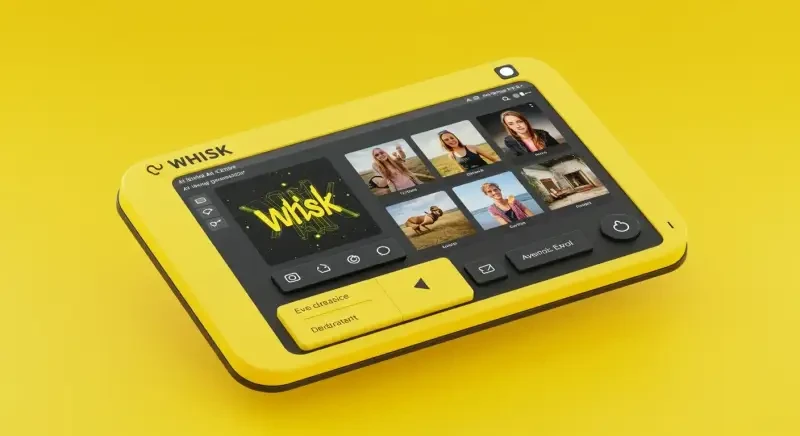
What Made it Special?Before we look at alternatives, it helps to understand what made it different from other tools. Unlike typical text to image generators that need complex prompt writing, Whisk AI let users drag and drop three images a subject, a scene, and a style to produce something entirely new. This visual-first approach was its biggest draw.
Whisk AI used Google's Gemini model to read your images and Imagen 3 to produce the output. It also came with preset styles like Sticker, Plushie, Capsule Toy, and Enamel Pin that felt genuinely fresh. Any replacement needs to match this mix of simplicity and creative control. The features page goes into more detail on each of these.
Best Alternatives in 2026Here are the top alternatives for former users, ranked by how closely they match what made it special.
1. Adobe Firefly Best for Professional Creators
Adobe Firefly is the strongest pick for anyone who used it for professional work. It offers style reference images (similar to the original style input), structure reference (similar to the subject input), and it's trained on licensed content so your outputs are commercially safe.
Why it works as a replacement: Firefly's "Style Reference" feature is the closest match to how the original tool handled style blending. You upload a reference image and Firefly applies that look to your generation. It also plugs directly into Photoshop, Illustrator, and Express.
Pricing: Free tier with 25 credits/month. Premium starts at $4.99/month with 100 credits.
2. Midjourney Best for Artistic Quality
Midjourney produces some of the highest quality artistic outputs of any AI image generator available in 2026. If you cared about the visual quality of your previous outputs, Midjourney will impress you.
Why it works as a Whisk AI replacement: Midjourney v6.1 supports image-to-image generation with style references, which partly copies the three-input workflow. The --sref (style reference) and --cref (character reference) flags give you precise creative control.
Pricing: Starts at $10/month for the Basic plan (200 generations). Pro plan at $30/month for unlimited relaxed generations.
3. DALL-E 3 (via ChatGPT) Best Free Option
OpenAI's DALL-E 3 is built right into ChatGPT, making it the most accessible text to image alternative. Free ChatGPT users get a limited number of generations per day, while Plus subscribers get more.
Why it works as a Whisk AI replacement: DALL-E 3's natural language understanding is excellent you don't need complex prompts, much like how the original tool simplified things. The conversational interface means you can tweak results by describing changes rather than rewriting prompts from scratch.
Pricing: Free with ChatGPT (limited daily generations). ChatGPT Plus at $20/month for more generations.
4. Leonardo.ai Best for Style Variety
Leonardo.ai offers the closest match to the style preset system you loved. With dozens of community-trained models and style presets, you can recreate the Sticker, Plushie, and Capsule Toy looks that made the original so popular.
Why it works as a Whisk AI replacement: Leonardo's "Image Guidance" feature lets you upload reference images for style, pose, and content directly copying the three-input approach. It also has an active community sharing custom style models.
Pricing: Free tier with 150 daily tokens. Paid plans start at $12/month.
5. Google ImageFX Google's Own Successor
Google ImageFX is Google's main text to image tool that will keep running after the shutdown. It uses the same Imagen 3 model, so the output quality is similar.
Why it works as a Whisk AI replacement: Since ImageFX runs on the same AI model, the image quality and style are the most similar to what you're used to. It doesn't have the three-image blending workflow, but the generation quality is nearly identical.
Pricing: Free (requires Google account).
Feature Comparison: Alternatives Head to HeadHere's how each alternative stacks up against the key features that set the original apart:
- Visual input (drag-and-drop images): Adobe Firefly (partial), Midjourney (partial), Leonardo.ai (yes)
- Style presets (Sticker, Plushie, etc.): Leonardo.ai (closest match), Midjourney (custom styles)
- No prompt writing needed: DALL-E 3 (yes), Adobe Firefly (yes)
- Free to use: Google ImageFX (yes), DALL-E 3 (limited free), Leonardo.ai (limited free)
- Commercial use license: Adobe Firefly (yes), Midjourney (yes, with paid plan)
If you're still using Whisk AI, here's what to do before the shutdown:
- Export your work Download all your generated images now. There's no promise they'll be around after April 30.
- Write down your favorite styles Note the subject/scene/style combos you used most, so you can recreate them later.
- Test alternatives Try 2-3 of the tools above with your typical use cases. Each handles AI image generation differently, and your preferred way of working matters. Not sure where to start? Here's a beginner's guide to AI image tools.
- We also put together a step-by-step migration walkthrough for each platform.
When exactly does Whisk AI shut down?
Whisk AI will stop accepting new image generations on April 30, 2026. After this date, will no longer be accessible at labs.google/fx/tools/whisk.
Will my images be deleted?
Google hasn't confirmed how long existing generations will stay available. We strongly recommend downloading all your images before the April 30 deadline.
Is Google ImageFX the official replacement for Whisk AI?
Not officially, but Google ImageFX uses the same Imagen 3 model and is Google's continuing text to image product. It's the closest Google AI tool to what was available before, though it doesn't have the visual blending workflow.
Can I still do image blending like offered?
Leonardo.ai and Adobe Firefly offer the closest image reference features to the three-input blending system. Neither is an exact match, but both support uploading reference images to guide generation.
The shutdown is disappointing, but but the Whisk AI and image generation space has never had more options. The alternatives listed above all offer features that match or go beyond what was available before, often with better commercial licensing and more tools. Start testing them now so you're ready when April 30 arrives.
How We Tested These AlternativesEvery alternative in this article was tested first-hand with the same set of 50 prompts we use across all our reviews. We ran each tool through simple prompts ("a cat on a beach"), complex multi-element scenes ("Victorian library with leather-bound books and a crackling fireplace at sunset"), and style-specific requests matching the six preset styles from the original tool Sticker, Plushie, Capsule Toy, Enamel Pin, Chocolate Box, and Card.
We measured three things for each tool: how close the output quality came to what the original produced, how many steps it took to get from input to a finished image, and whether the tool required prompt engineering knowledge or accepted plain-language descriptions. The rankings above reflect those real-world results, not marketing claims from the platforms.
Pricing Comparison TableHere is a direct cost comparison as of April 2026:
Adobe Firefly starts free with 25 credits per month. The premium plan costs $4.99 per month and gives 100 credits. Each image generation uses one credit. Midjourney has no free tier the Basic plan starts at $10 per month for 200 generations, and the Pro plan at $30 per month gives unlimited relaxed-mode generations. DALL-E 3 is free with a ChatGPT account (limited daily uses) or included with ChatGPT Plus at $20 per month. Leonardo.ai offers 150 free daily tokens, with paid plans from $12 per month. Google ImageFX is completely free with a Google account and has no generation limits.
For users who relied on the original tool because it was free, Google ImageFX and the free tiers of DALL-E 3 and Leonardo.ai are the most direct replacements in terms of cost. For users who need commercial licensing for client work, Adobe Firefly's included IP indemnification makes it the safest option despite the monthly fee.
What Happens to the Technology Behind It?The Gemini and Imagen 3 models that powered the original tool are not going away. Google continues to develop both systems and has integrated them into other products. ImageFX uses the same Imagen 3 model for text-to-image generation. Gemini's built-in image generation capability, available through the Gemini app and API, uses the same underlying technology. The visual blending workflow dragging and dropping three images to produce a new one was specific to this particular tool. That exact feature does not exist in any other Google product yet, but the image quality and style understanding remain available through other paths. For a full walkthrough on moving your specific workflows to a new platform, see the step-by-step migration guide.