Whisk AI Features: Reach Your Creative Potential
Whisk AI helps you write better prompts through intelligent analysis and improvement techniques.
Prompt Improvement
Whisk AI transforms basic ideas into detailed, descriptive prompts that generate higher-quality images with intelligent processing.
Enhanced: "A sticker with a white border on a white background, and the style is simple and cartoonish with thick black outlines. The colors are bright and saturated, and the overall look is playful. It looks like a sticker you might find on a water bottle or lunchbox. Make sure to incorporate everything (characters, locations/scenes, elements) WITHIN the sticker. The background is plain white (remove any other background information)."
Whisk AI Style Analysis
Whisk AI identifies your intended artistic style and adds relevant stylistic descriptors for polished output.
Enhanced: "A photograph of the subject as a chibi plushie made of soft fabric, facing the camera on a white background. The plushie is made of soft, cuddly fabric. They have soft, button eyes and a friendly expression. They'd be a great friend to cuddle with! They are in full frame, centered and uncropped, sitting on a table. The background is plain white (remove any other background information). The lighting is even and soft. This is a perfect picture for a product listing."
Whisk AI Detail Refinement
Whisk AI adds key details to your prompt that dramatically improve image quality and accuracy in every generation.
Enhanced: "A close up shot of a small, translucent plastic sphere-shaped container containing a figure inside is shown against a white background. The container is layered in half, with a clear top section and a translucent colored bottom section. The is a kawaii figurine inside of the container. The lighting is even and bright, minimizing shadows. The overall style is clean, simple, and product-focused, with a slightly glossy finish to the plastic."

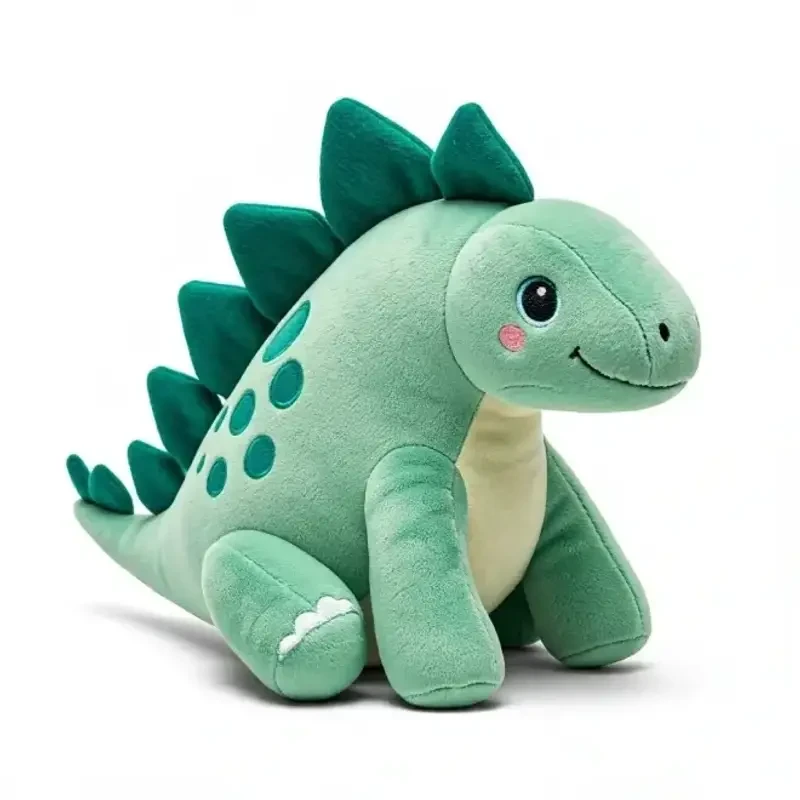

How Whisk AI Enhances Your Prompts
Natural Language Understanding
Whisk AI uses Google's Gemini model to understand your creative intent from simple, everyday language. You don't need to learn complex prompt syntax or special keywords. Just describe what you want to see, and Whisk interprets your meaning identifying the subject, desired mood, artistic style, and compositional elements automatically.
For example, saying "a cozy cabin in winter" triggers Whisk to add details about snow coverage, warm interior lighting, pine trees, and atmospheric fog that dramatically improve the generated image quality.
Style-Aware Generation
Each style in Whisk AI Sticker, Plushie, Capsule Toy, Enamel Pin, and more comes with specialized prompt templates developed by Google Labs. These templates encode expert knowledge about what makes each style look authentic, from the thick outlines of sticker art to the soft fabric textures of plushie renders.
The style system goes beyond simple filters. Whisk restructures your entire prompt to match the visual language of each style, adjusting lighting, materials, perspective, and background elements for optimal results.
Powered by Imagen 3
Behind the scenes, Whisk leverages Google DeepMind's Imagen 3, one of the most advanced text-to-image models available. Imagen 3 excels at photorealistic rendering, consistent character design, and accurate text rendering within images capabilities that set it apart from earlier generation models.
Combined with Whisk's prompt enhancement layer, this means you get professional-grade outputs from simple descriptions, without needing to understand the technical details of how the AI generates images.
Who Uses Whisk AI?
Content Creators
YouTubers, bloggers, and social media managers use Whisk to generate thumbnails, illustrations, and visual content without hiring a designer. The style presets make it easy to maintain a consistent visual brand across platforms.
Small Businesses
From product mockups to marketing materials, small business owners use Whisk to create professional visuals on a budget. The tool's ability to blend subject, scene, and style images means you can quickly prototype ideas before committing to professional design work.
Educators & Students
Teachers create visual aids for lessons, while students use Whisk for project illustrations and creative assignments. The low barrier to entry makes it an ideal tool for introducing AI concepts in educational settings.