The Complete Beginner's Guide to Creating Amazing Images with Whisk AI
If you're new to AI image generation or have been frustrated by average results from your text prompts, Google Labs' experimental Whisk AI could be exactly what you've been looking for. Update (April 2026): The tool is shutting down April 30, 2026. Here are the best alternatives and a migration walkthrough to help you switch.
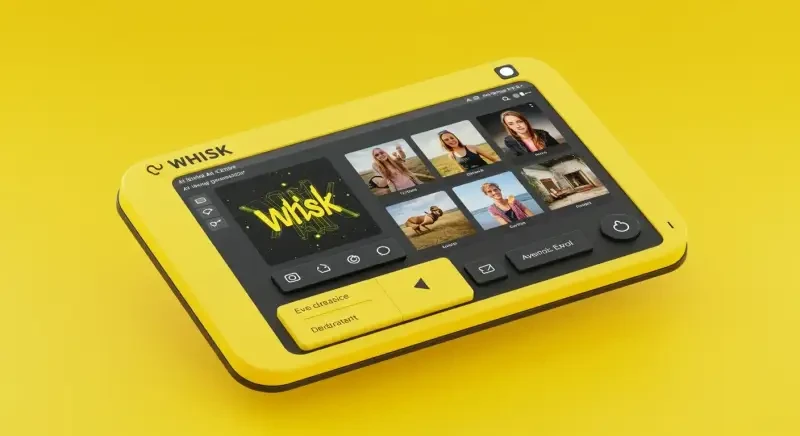
This Whisk AI guide walks you through everything you need to know to start creating great AI-generated images, even without prior experience in prompt engineering.
Getting StartedThe tool works as a bridge between your ideas and the complex world of text-to-image generation. The first step in using Whisk AI is understanding that even a basic description can be turned into an effective prompt. Begin by expressing your idea in simple terms what image do you want to create?
For example, you might start with "forest creature." This is a perfectly valid starting point, and Whisk AI will help you build from there. It will analyze your basic concept and begin suggesting additions that specify important visual elements like:
- More specific subject details (type of creature, features, pose)
- Environmental context (time of day, weather, season)
- Artistic style (photography, painting, illustration style)
- Technical specifications (lighting, composition, level of detail)
Don't worry about getting it perfect on the first try. The best approach is to start simple and refine from there. The features page has a full breakdown of what it can do. Most experienced users go through 3-5 rounds of adjustments before landing on something they're happy with.
Understanding Prompt CategoriesEffective prompts contain information from several key categories, and Whisk AI helps make sure these are included. There's also a useful comparison between Whisk AI and manual prompt writing worth reading.
Subject Definition: The main focus of your image needs clear definition. It expands basic subject descriptions with specific attributes, characteristics, and details that help the AI better picture what you want.
Contextual Elements: The environment and surrounding elements provide important context. It adds details about location, time period, weather conditions, and atmospheric details that create a cohesive scene.
Stylistic Approach: Different artistic styles produce dramatically different results. The system can detect your intended style and add specific terminology like "digital art," "oil painting," "photorealistic," or reference specific artists or art movements. Google's Imagen 3 model powers the image generation behind Whisk AI, delivering photorealistic and artistic outputs.
Technical Specifications: Terms like "highly detailed," "sharp focus," "volumetric lighting," or "8K resolution" can significantly impact image quality. These technical elements are added automatically to improve output quality.
Common Mistakes to AvoidAfter watching hundreds of users try AI image generation for the first time, a few patterns come up again and again:
- Being too vague,"a nice picture" gives the AI nothing to work with. Even basic details like "a cat sitting on a windowsill at sunset" produce much better results.
- Contradicting yourself asking for "a bright, dark, colorful black-and-white image" confuses the system. Pick a direction and commit to it.
- Overloading with keywords stuffing 50 descriptors into one prompt usually makes things worse, not better. Focus on 5-8 key details.
- Ignoring aspect ratio if you need a wide banner image, say so. The default square output does not fit every use case.
Here are some practical things people are making right now with Whisk AI and similar tools:
- Custom social media graphics and thumbnails for YouTube, Instagram, and TikTok
- Product mockups for e-commerce stores before investing in photography
- Concept art for game developers, writers, and filmmakers working on early ideas
- Personalized greeting cards, stickers, and gifts
- Blog illustrations and article headers that match your brand style
The common thread is that these used to require either design skills or a budget. Now they require a short text description and a few minutes of experimentation.
Working with SuggestionsAs you use Whisk AI, you'll notice it offers multiple improvement options. This is by design different prompt adjustments can take your image in different creative directions. Here's how to make the most of these suggestions:
- Review multiple improvement options to find the one that best matches your vision
- Feel free to combine elements from different suggestions
- Learn from the terminology it introduces this helps you understand effective prompt structures
- Use the iterative process to refine results your first generated image can inform how you adjust your prompt
Research from Stanford University on visual prompt engineering confirms that structured prompt techniques significantly improve AI-generated image quality and consistency.
By observing how it transforms your simple descriptions into detailed prompts, you'll gradually develop an intuitive understanding of prompt engineering principles. For real-world examples, take a look at how people are actually using it for image generation.