Fitur Whisk AI: Buka Potensi Kreatif Anda
Whisk AI membantu Anda membuat prompt yang lebih baik melalui analisis cerdas dan teknik peningkatan.
Peningkatan Prompt
Ubah ide dasar menjadi prompt yang detail dan deskriptif yang menghasilkan gambar berkualitas lebih tinggi.
Enhanced: "Stiker dengan batas putih di latar belakang putih, dan gayanya sederhana serta kartun dengan garis luar hitam tebal. Warnanya cerah dan jenuh, dan tampilan keseluruhannya ceria. Terlihat seperti stiker yang mungkin Anda temukan di botol air atau kotak makan siang. Pastikan untuk memasukkan semuanya (karakter, lokasi/pemandangan, elemen) DI DALAM stiker. Latar belakangnya putih polos (hapus informasi latar belakang lainnya)."
Analisis Gaya
Mengidentifikasi gaya artistik yang Anda inginkan dan meningkatkannya dengan deskriptor gaya yang relevan.
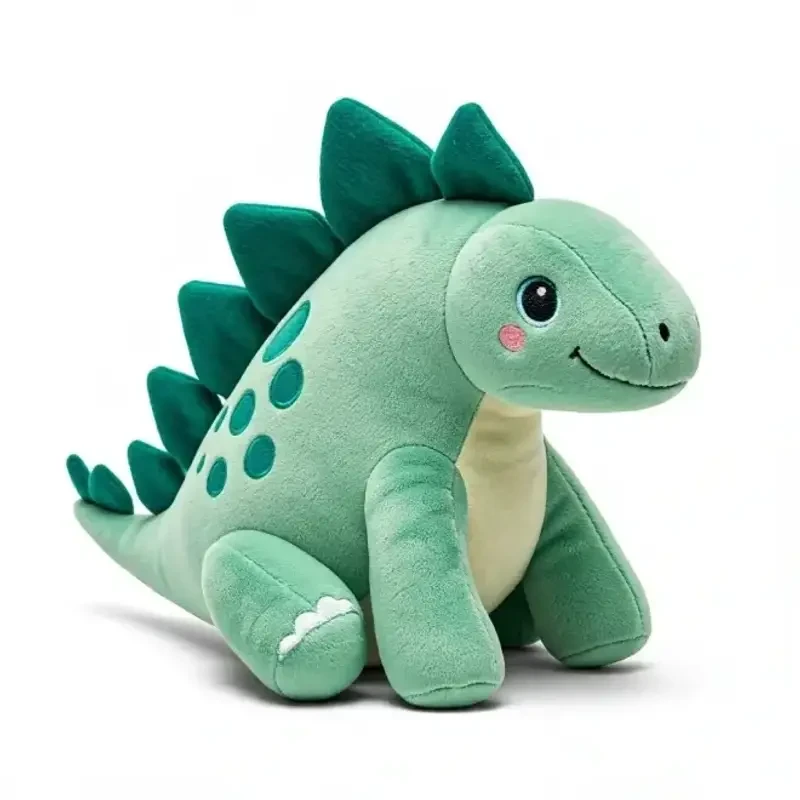
Enhanced: "Sebuah foto subjek sebagai boneka chibi yang terbuat dari kain lembut, menghadap kamera dengan latar belakang putih. Boneka ini terbuat dari kain lembut dan nyaman dipeluk. Mereka memiliki mata kancing yang lembut dan ekspresi ramah. Mereka akan menjadi teman yang hebat untuk dipeluk! Mereka dalam bingkai penuh, terpusat dan tidak terpotong, duduk di atas meja. Latar belakangnya putih polos (hapus informasi latar belakang lainnya). Pencahayaan merata dan lembut. Ini adalah gambar yang sempurna untuk daftar produk."
Penyempurnaan Detail
Menambahkan detail penting ke prompt Anda yang secara dramatis meningkatkan kualitas dan akurasi gambar.
Enhanced: "Sebuah bidikan close-up dari wadah berbentuk bola plastik kecil transparan yang berisi figur di dalamnya ditampilkan dengan latar belakang putih. Wadah tersebut berlapis dua, dengan bagian atas yang bening dan bagian bawah berwarna transparan. Ada figur kawaii di dalam wadah. Pencahayaan merata dan cerah, meminimalkan bayangan. Gaya keseluruhannya bersih, sederhana, dan berfokus pada produk, dengan sentuhan akhir yang sedikit mengkilap pada plastiknya."


How Whisk AI Enhances Your Prompts
Natural Language Understanding
Whisk AI uses Google's Gemini model to understand your creative intent from simple, everyday language. You don't need to learn complex prompt syntax or special keywords. Just describe what you want to see, and Whisk interprets your meaning identifying the subject, desired mood, artistic style, and compositional elements automatically.
For example, saying "a cozy cabin in winter" triggers Whisk to add details about snow coverage, warm interior lighting, pine trees, and atmospheric fog that dramatically improve the generated image quality.
Style-Aware Generation
Each style in Whisk AI Sticker, Plushie, Capsule Toy, Enamel Pin, and more comes with specialized prompt templates developed by Google Labs. These templates encode expert knowledge about what makes each style look authentic, from the thick outlines of sticker art to the soft fabric textures of plushie renders.
The style system goes beyond simple filters. Whisk restructures your entire prompt to match the visual language of each style, adjusting lighting, materials, perspective, and background elements for optimal results.
Powered by Imagen 3
Behind the scenes, Whisk leverages Google DeepMind's Imagen 3, one of the most advanced text-to-image models available. Imagen 3 excels at photorealistic rendering, consistent character design, and accurate text rendering within images capabilities that set it apart from earlier generation models.
Combined with Whisk's prompt enhancement layer, this means you get professional-grade outputs from simple descriptions, without needing to understand the technical details of how the AI generates images.
Who Uses Whisk AI?
Content Creators
YouTubers, bloggers, and social media managers use Whisk to generate thumbnails, illustrations, and visual content without hiring a designer. The style presets make it easy to maintain a consistent visual brand across platforms.
Small Businesses
From product mockups to marketing materials, small business owners use Whisk to create professional visuals on a budget. The tool's ability to blend subject, scene, and style images means you can quickly prototype ideas before committing to professional design work.
Educators & Students
Teachers create visual aids for lessons, while students use Whisk for project illustrations and creative assignments. The low barrier to entry makes it an ideal tool for introducing AI concepts in educational settings.