Whisk AI 실제로 확인하기
다양한 프롬프트 기술이 어떻게 극적으로 개선된 결과를 가져오는지 살펴보세요.
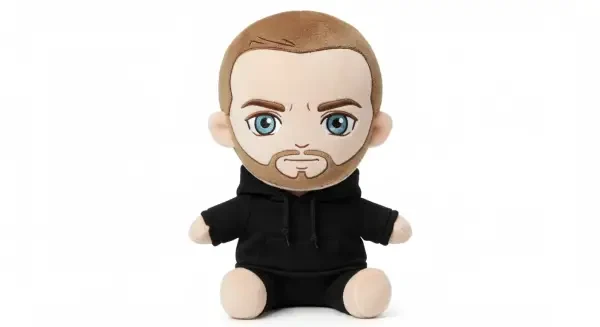
예술적 스타일 향상
예술적 비전을 직관적으로 식별하고 창의적인 프롬프트를 향상시켜 생생하게 구현합니다. 시스템은 목표로 하는 특정 스타일을 인식하고 지침을 향상시켜 예술적 의도를 진정으로 포착하는 결과를 제공합니다.

시각적 구성
전략적인 프롬프트 디자인을 통해 완벽하게 균형 잡힌 시선을 사로잡는 구성을 만들도록 AI를 안내하는 기술을 배우세요.
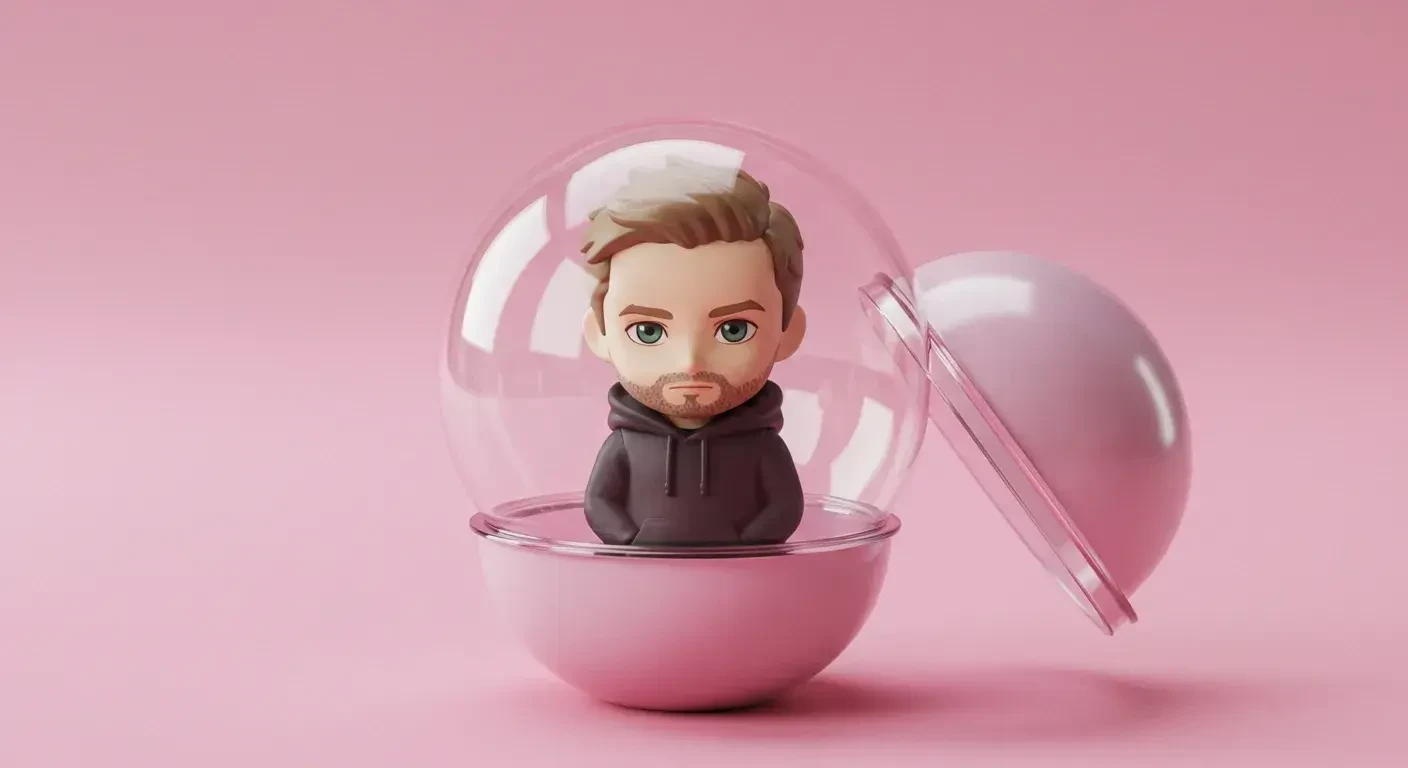
분위기 요소
조명 세부 사항, 분위기 요소 및 분위기 특성을 지정하는 것이 어떻게 진정으로 감정을 자극하는 이미지를 생성할 수 있는지 확인하세요.
더 많은 Whisk AI 스타일
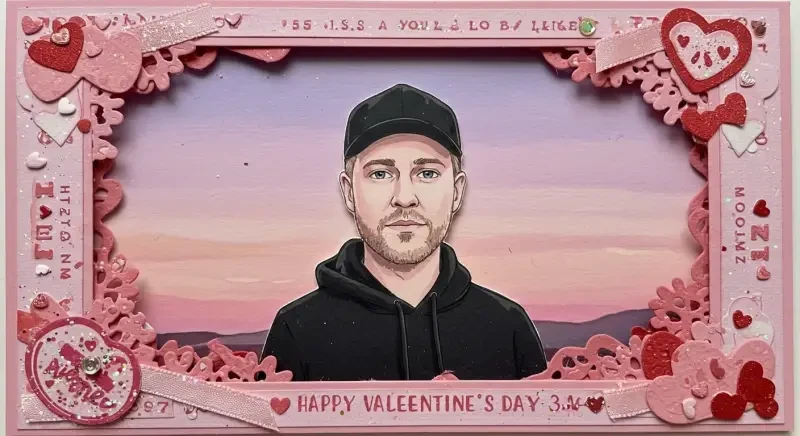
카드 스타일 예술적
의도된 예술적 스타일을 인식하고 정확한 스타일 설명자로 프롬프트를 향상시켜 더 나은 결과를 얻습니다.
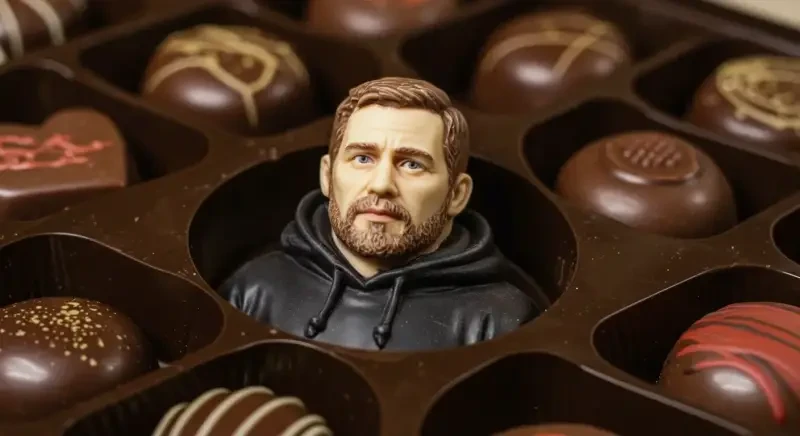
상자 시각적 초콜릿 구성
프롬프트 엔지니어링을 통해 균형 잡힌 시각적으로 매력적인 구성을 만들도록 AI를 지시하는 방법을 배우세요.

에나멜 분위기 핀 요소
자세한 조명, 분위기 및 분위기 단서가 어떻게 감정적으로 공명하는 이미지를 생성하는지 알아보세요.
Understanding Whisk AI Styles
Sticker Style
Creates images with thick black outlines, bright saturated colors, and a playful, cartoonish aesthetic. The output looks like a vinyl sticker you'd put on a laptop or water bottle simple, bold, and eye-catching. Works best with characters, animals, and simple objects.
Plushie Style
Transforms your subject into a soft, cuddly plushie toy photographed on a clean white background. Features button eyes, fabric textures, and a chibi (super-deformed cute) proportions. Ideal for character designs, mascots, and merchandise concepts.
Capsule Toy Style
Renders your subject as a kawaii figurine inside a translucent plastic capsule the kind you'd get from a vending machine in Japan. Features clean product photography lighting, glossy plastic textures, and miniature proportions. Great for collectible-style presentations.
Card Style
Creates illustrations with a trading card or greeting card aesthetic. Features decorative borders, balanced composition, and rich color palettes. The style works well for portraits, scenes, and character art with a polished, collectible feel.
Chocolate Box Style
Produces warm, elegant illustrations reminiscent of classic chocolate box art. Features soft lighting, romantic compositions, and painterly techniques. Best suited for landscapes, portraits, and scenes with a nostalgic, premium quality.
Enamel Pin Style
Generates designs that look like metal enamel pins with clean lines, flat color fills, and metallic borders. The style features simplified shapes, limited color palettes, and the distinctive raised-edge look of real enamel pins. Perfect for logos, icons, and small symbolic designs.
Tips for Better Results
Be Specific About Your Subject
Instead of "a dog," try "a golden retriever puppy sitting." The more specific your subject description, the more accurate and detailed the output. Whisk enhances your prompt, but starting with clarity gives it more to work with.
Experiment with Style Combinations
Try the same subject across different styles to find what works best. A character that looks average as a sticker might look amazing as a plushie. Each style has strengths for different types of subjects and compositions.
Use Reference Images
Whisk's three-image blending system (subject + scene + style) gives you precise control. Upload reference images for each input to guide the AI more accurately than text alone. This is what sets Whisk apart from pure text-to-image tools.